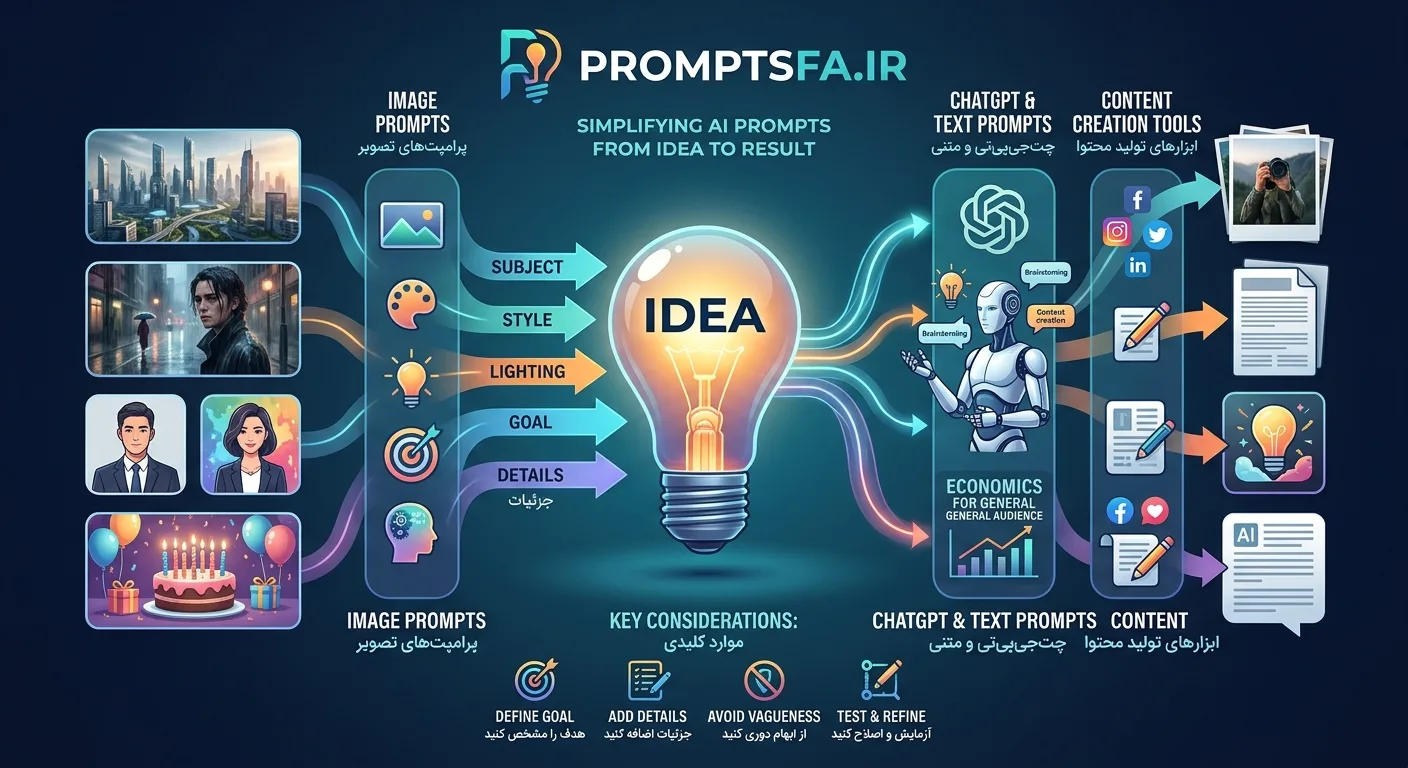
Artificial intelligence can create images, write text, answer questions, and help us with many daily tasks; however, the quality of the result we get from AI depends heavily on how we express our request. This is where the concept of a "prompt" becomes important. If you want to create more professional images, get more accurate answers from ChatGPT, or turn your ideas into usable content, learning the principles of writing prompts is the perfect starting point.
Promptsfa is designed with the goal of simplifying this very process; a tool to help users create and use AI prompts without needing to be familiar with technical jargon and complex methods of working with AI models from scratch.
What Is a Prompt and Why Is It Important in Using AI?
A prompt is an instruction, question, or description we give to an AI model to generate a response or perform a task based on it. For example, when we ask an image generation tool to create a photo of a futuristic city, the descriptions we provide about architecture, lighting, camera angle, colors, and image style are part of our prompt.
The difference between a simple instruction and a precise prompt can noticeably change the final result. The request "create a beautiful photo" doesn't offer much information about our expectations; but when we specify the subject, environment, artistic style, lighting, composition, and desired details, we provide a clearer path for the AI to produce a result.
Of course, a longer prompt doesn't always mean a better result. A good prompt should be written in accordance with the tool, goal, and type of output. Sometimes a short and clear instruction is sufficient, and sometimes we need more detailed descriptions to reach the desired outcome.
Creating Prompts with Promptsfa
If you don't know what phrases to write to achieve your desired result, creating a prompt can become a time-consuming stage. You might have a clear idea in mind but be unable to convert it into a suitable instruction for the AI. Promptsfa comes in handy to simplify this path.
Instead of thinking about the structure of a professional instruction from scratch, you can first determine your goal: generating a photo, designing a profile picture, creating an image for an occasion, using ChatGPT, or performing a textual task. Then, using the features available in Promptsfa, prepare a prompt tailored to your needs.
To get a better result, consider a few points before using a prompt:
Define the goal: Be clear whether your desired output is an image, text, brainstorming, or an answer to a question.
Add necessary details: Describe subject characteristics, style, tone, audience, and important constraints.
Avoid vague phrases: Instead of requesting a "good" result, specify what features make it good in your opinion.
Test the prompt: If the output wasn't exactly as expected, modify the instruction and make changes step-by-step.
Image Prompts: How to Create Better Images with AI?
One of the popular applications of AI is generating images from text. With image generation tools, ideas that previously required design skills or professional editing can be converted into digital images. However, to achieve a suitable result, just naming the subject is not enough.
In writing an image prompt, it's better to pay attention to the main subject, background, lighting, viewpoint, composition, visual style, and the mood of the image. For instance, the request "portrait of a man in an urban setting" is very different from describing "a realistic portrait on a rainy street, lights reflected on the asphalt, cinematic lighting, and an out-of-focus background."
AI image prompts can be written for various applications; from artistic and advertising images to profile pictures, social media images, and occasional designs. Promptsfa can be a starting point for preparing these instructions so you don't have to design their structure from zero every time.
Profile Picture Prompts
To create a profile picture with AI, you must specify whether the image is formal, friendly, artistic, or suited for social media. The type of framing, background, facial expression, clothing, light, and photography style can also affect the result.
For example, if you need a professional profile picture, you can mention a head-and-shoulders portrait, simple background, soft studio lighting, formal attire, and a composition suitable for a profile picture in the prompt. If you prefer a fantasy or artistic style, you must change these features according to the desired style.
AI Image Prompts for Birthdays
Creating a birthday image is another attractive application of image generation tools. AI can be used to design a birthday scene, greeting card image, party background, or a fantasy image suitable for posting on social media.
To write a birthday prompt, specify details like the color scheme, type of decorations, lighting, image style, and party atmosphere. For example, a minimalist birthday scene with lit candles and soft colors will create a different result than a glitzy party with colorful balloons and bright lights.
If you plan to use the image for a greeting card or posting on social media, it's better to also explain the aspect ratio and the empty space needed for adding text in your instruction. Regarding text within the image, be aware that some models still have limitations in producing accurate text.
ChatGPT Prompts: How to Get More Accurate Answers?
ChatGPT can only align well with your needs if you have explained your request to a suitable extent. Asking a general question might generate a generic response; whereas specifying the context, goal, audience, and response format makes the result more practical.
For example, if you want to prepare material about an economic topic, you can ask ChatGPT to explain the topic for a general audience, define technical concepts, separate arguments from one another, and in case of insufficient information, avoid making definitive claims.
A suitable prompt for ChatGPT usually has several parts: the expected role or persona, problem description, background information, output type, and constraints. Of course, it's not necessary to use all these parts in every request. The goal is to clarify the demand, not complicate the instruction.
Promptsfa can assist you in preparing prompts needed for content creation, brainstorming, writing, summarization, and other textual applications. After receiving the prompt, you can also change it according to your topic and expected result.
What Is the Difference Between AI and a Prompt?
Artificial intelligence is the technology that enables tasks such as information analysis, text generation, and image creation. A prompt, in contrast, is the instruction or input used to guide this technology.
Simply put, AI is the tool to do the job, and the prompt specifies what should be done in a specific request. The quality of the prompt can play an important role in the quality and suitability of the output, but the final result also depends on the model's capabilities, available information, type of task, and tool limitations.
For this reason, effective use of AI is not limited just to finding a ready-made instruction. Knowing the goal, choosing the right tool, and evaluating the result are also important.
Why Use Promptsfa?
For many users, the most difficult part of working with AI is finding the starting point. They might know what image they want or what text they need, but not know how to effectively express their request.
Promptsfa shortens this distance by focusing on creating and using prompts. Instead of facing a blank page every time, you can start your work with a suitable instruction and then develop it based on your needs.
Using a ready-made prompt doesn't mean setting creativity aside. A prompt has the most benefit when it is aligned with your goal and taste. You can change its details, remove unnecessary parts, and reach a result closer to your expectation with a few tests.
Summary: From Idea to Practical Prompt
Artificial intelligence becomes more valuable when we can express our demands clearly and precisely. From creating image and profile picture prompts to writing professional instructions for ChatGPT, a suitable prompt can shorten the path to reaching the desired outcome; though it is not a substitute for reviewing and refining the output.
Promptsfa is intended to simplify this very path: helping convert ideas into prompts that can be used in AI tools. If you want to turn working with AI from scattered trial and error into a more purposeful process, use the features of Promptsfa at promptsfa.ir and develop your prompts tailored to the result you want to achieve.
Frequently Asked Questions
What is a prompt?
A prompt is an instruction or input provided to an AI to generate text, image, or another output based on it.
How to write an AI image prompt?
Specify the subject, environment, image style, lighting, viewpoint, and important details. Then review the result and, if necessary, modify the instruction.
What is the use of a ChatGPT prompt?
A ChatGPT prompt is used to guide the model in tasks like answering questions, content creation, translation, summarization, analysis, and brainstorming.
Do we need to know programming to create prompts?
No. For many daily applications, it is enough to express your goal and demand clearly. Familiarity with prompt writing principles can help improve the result.
How does Promptsfa help users?
Promptsfa is designed to simplify the process of preparing AI prompts. Users can use it to get started and adjust instructions tailored to their needs.